
Virtual Confidence: Makeup Tips for Video Calls and Meetings
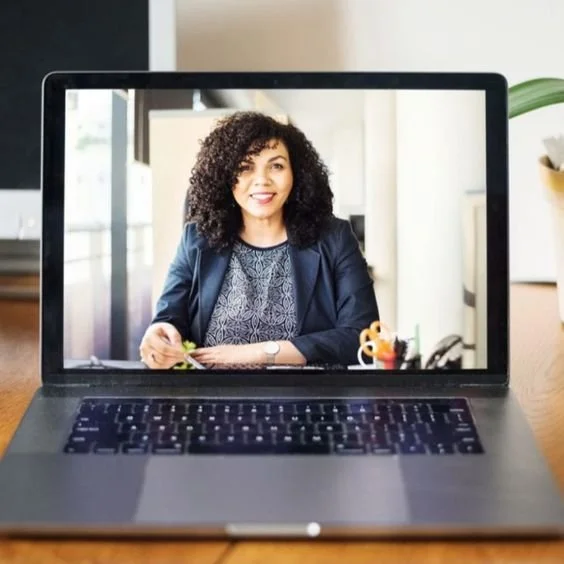
Photo Credit: Pinterest
Since 2020, virtual meetings and video calls have become a vital part of our professional and personal lives. Whether attending a work conference, catching up with friends and family, or participating in a virtual job interview, looking your best on-screen can boost your confidence and make a positive impression. This is where makeup comes into play! I want to share some essential makeup tips to help you look your best during virtual meetings and video calls.
Focus on a Flawless Base
A flawless base is the key to a polished look on camera. Start by cleansing your face and applying a primer to create a smooth canvas. Primer is a MUST! Choose a foundation that matches your skin tone and apply it evenly. Blend it well to avoid harsh lines or uneven patches. A lightweight, natural finish is ideal for a virtual setting, as heavy makeup can appear overdone and mask-like on camera.
Conceal Imperfections
Webcams tend to highlight imperfections, so concealer is your best friend. Use a concealer that matches your skin tone to cover any blemishes, redness, or dark circles. Blend it carefully and ensure it looks seamless on screen. This step can make a significant difference in your overall appearance during video calls.
Define Your Brows
Well-groomed eyebrows can frame your face and enhance your overall look. Use an eyebrow pencil or powder to define and fill in your brows. Keep the shape natural and avoid going too bold. Neat, subtle brows can make your eyes stand out, adding depth to your face.
Enhance Your Eyes
Your eyes are the focal point during video calls, so make them pop. Apply a neutral eyeshadow that complements your skin tone and adds dimension to your eyes. Avoid heavy, smoky-eye looks, as they can appear too intense on camera. Opt for a good mascara to lengthen and define your lashes, and if you wish, add a touch of eyeliner to make your eyes look more expressive.
Add a Natural Flush
To bring some color to your face, apply a natural blush that complements your skin tone. Smile and lightly dust the blush on the apples of your cheeks for a healthy, radiant look. Blending is key to achieving a soft, natural finish.
Lips Matter
Choose a lip color that enhances your natural lip shade. Subtle pinks, nudes, or soft corals work well for virtual meetings. Avoid overly bright or dark lip shades, as they can be distracting on camera. Remember to keep your lips hydrated, so they don't appear dry or cracked.
Soften Harsh Lighting
If you're dealing with harsh lighting conditions during video calls, it can accentuate imperfections. Use a soft, diffused light source in front of you to create an even, flattering glow. This can help minimize shadows and create a more flattering appearance.
Test Your Look
Before your virtual meeting or video call, take a moment to test your makeup and lighting. You can use your computer's camera to check your appearance and make any necessary adjustments. This will help you feel more confident and ready when it's time to join the call.
With these makeup tips, you can confidently present your best self during virtual meetings and video calls. Remember that the goal is to enhance your natural features and create a polished, professional appearance on screen. By paying attention to your base, eyes, lips, and lighting, you'll be well-prepared to make a great impression in the virtual world. So, get ready, look your best, and shine during your next virtual meeting or video call!
